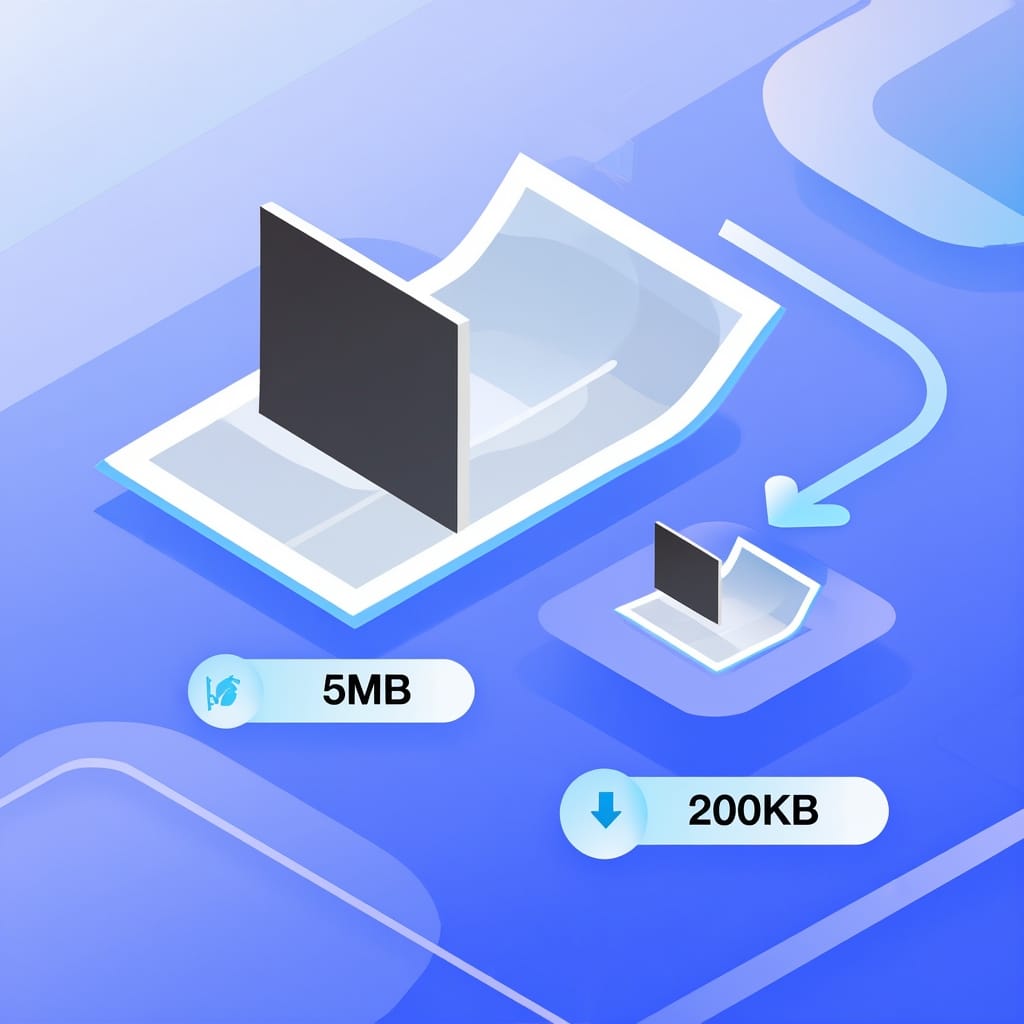
Dín ìwọn fáìlì àwòrán kù lórí ayélujára láì bàdọ̀ sí dídára rẹ̀.
tàbí ju, lẹẹ̀mọ́, tàbí yan láti inú cloud





Yan àkànṣe tó bá ìdí rẹ mu. Gbogbo àbá yìí ń mú didùn àti ìwọn fáìlì ṣeé ṣe fún ìlò oríṣiríṣi.
Balanced compression. Reduces file size while keeping visual quality high. This is the default setting for most images.
Ìdínkù ìwọn fáìlì tó pọ̀jù. Dára jùlọ fún àwòrán kékeré lórí wẹ́ẹ̀bù àti àfikún imeèlì níbi tí ìwọn kékeré ṣe ṣe pàtàkì jù.
Kò sí ìparun didùn fún àwọn fáìlì PNG. Ó dín ìwọn fáìlì kù nípa mímú data ṣeéṣe láì yọ ìlúwòó àwòrán kankan kúrò.
The image compressor gives you 7 compression modes for full control over file size. Use "Target file size" to compress an image to 100 KB, 200 KB, 1 MB, or any size you need. The tool adjusts the quality automatically to reach your exact target. Use "Percentage of original" to reduce by a set amount, like shrinking a file to 50% of its current size.
For advanced users, the "Custom quality" slider lets you set the exact compression level from 0 to 100. Higher values keep more detail. Lower values produce smaller files. The "Strip metadata" option removes EXIF data, GPS coordinates, and camera information from your images to reduce file size further and protect your privacy.
The image compressor uses smart algorithms to reduce file size while keeping visual quality high. Move the slider to compare the original (828 KB) with the compressed version (44 KB). JPG compression removes data the human eye cannot see. PNG lossless compression reduces file size without removing any image data.
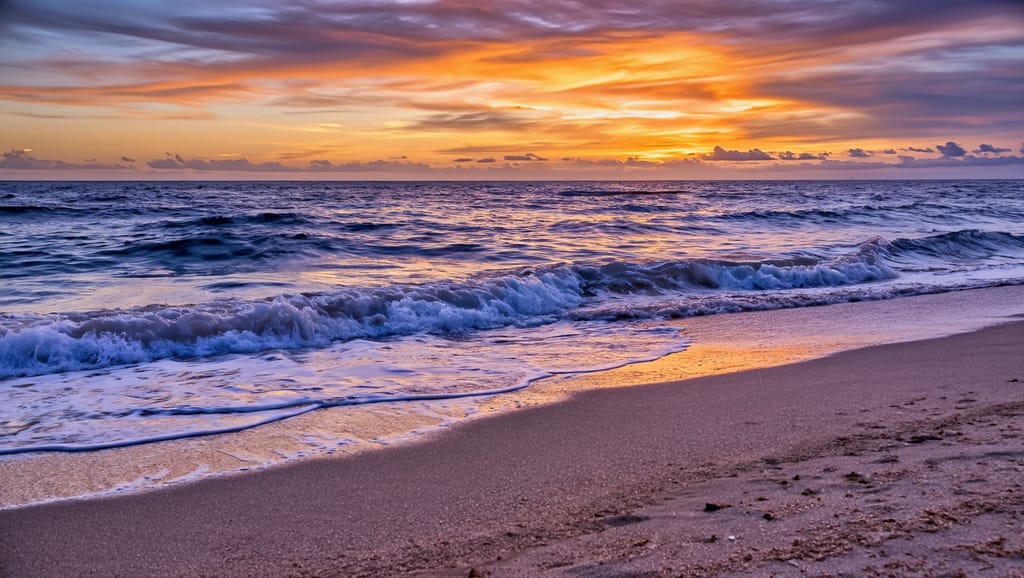
This landscape photo was compressed from 828 KB to 44 KB. That is a 95% reduction in file size. The compressed version looks almost the same as the original at normal viewing distance. Only extreme zoom shows small differences in colour gradient areas.
Ṣe ìkópọ̀ ẹyọ kan lára àwọn fọ́ọ̀mù yìí. Ẹ̀rọ náà máa dá irú rẹ̀ mọ́ kí ó sì yan ọ̀nà ìdínkù tó dára jù lọ laifọwọyi. Fipamọ́ sí fọ́ọ̀mù tíkọ́ tàbí yí padà sí omiiran.
| Ànfààní | JPG | PNG | WebP | GIF | BMP | TIFF |
|---|---|---|---|---|---|---|
| Ìdínkù pẹ̀lú díẹ̀díẹ̀ ìparun didùn | ✓ | - | ✓ | ✓ | - | ✓ |
| Ìdínkù láì sọnù didùn | - | ✓ | ✓ | - | - | ✓ |
| Àfihàn kíkankíkan | - | ✓ | ✓ | ✓ | - | - |
| Ìránṣé àwòrán alágbékalẹ̀ | - | - | ✓ | ✓ | - | - |
| Tó dára jùlọ fún | Aworan fọto | Aworan oniru | Wẹ́ẹ̀bù | Ìránṣé àwòrán alágbékalẹ̀ | Raw | Títẹ |
All formats work for input and output. JPG and WebP produce the smallest files for photos.
Common situations where reducing image file size makes a real difference.
Àwòrán tí a kò tíì dín tí ó ju 1 MB lọ lè fi ìsẹ́jú-aaya 1 sí 3 kún àkókò gíga ojú-ìwé. Ìdínkù àwòrán fún wẹ́ẹ̀bù máa dín ìwọn fáìlì kù ní 60% sí 80% láì sí ìyàtọ̀ tó hàn. Ojú-ìwé tí ń gígá yara maa ń gùn-ún ga lórí Google.
Gmail ní ààlà àfikún 25 MB. Àwòrán DSLR kan lè jẹ́ 10 sí 30 MB. Ẹrọ ìdínkù àwòrán máa dín án kù sí kékeré ju 1 MB nínú ìsẹ́jú-aaya kí ó lè bá ìpèsè imeèlì kankan mu.
Àwọn pẹpẹ̀ àwùjọ máa ń dín ohun tí a gbé sókè kù laifọwọyi. Títí dín kù ṣáájú fún ọ láàyè láti ṣàkóso didùn ikẹyìn dípò fífi sílẹ̀ fún àlgọ́ríọ̀mù pẹpẹ̀ náà. Discord ní ààlà ìfiránṣẹ́ 8 MB fún àwọn oníṣe ọ̀fẹ́.
Reduce the space photos take in Google Drive, Dropbox, or iCloud. Compressing a folder of holiday photos can free up gigabytes without any visible quality loss.
Mobile users on slower connections need small images to avoid long load times. Compressing product photos or blog images to under 200 KB keeps mobile pages fast.
Optimize an entire folder of images at once. Upload multiple files, apply the same compression settings, and download them one by one. Saves time for large photo collections.
Gbogbo ohun tí a gbé sókè ni a ń ṣàṣírí nígbà ìfiránṣẹ́. O lè pa fáìlì rẹ kúrò lórí sẹ́fà àfikún lẹ́sẹ̀kẹsẹ̀ lẹ́yìn títẹ̀síwájú. A kì í ṣe àfípamọ́ àfọwọ́yẹ.
Gbogbo ìtànṣà jẹ́ laifọwọyi láìsí ìwọlé ènìyàn sí àwọn àwòrán rẹ. Ẹrọ náà kì í fi watermark sí i tàbí pín fáìlì pẹ̀lú ẹlòmíràn. A kì í lò fáìlì rẹ fún ìkóni AI. Ìwọ ló ní ẹ̀tọ́ àwòkọ́sọ àti eni-ini gbogbo àwòrán tí o bá dín kù.

Fa fáìlì rẹ wá kí o sì ju u sílẹ̀ tàbí tẹ láti wá a. Ẹ̀rọ náà gba JPG, PNG, GIF, BMP, WebP, àti TIFF.
Pick a compression mode: preset levels, target file size, percentage, or custom quality. You can also strip metadata and select an output format.
Tẹ "Compress" láti bẹ̀rẹ̀. Gba fáìlì kékeré náà lọ́wọ́ nígbà tí ìtànṣà bá parí. Àwòrán tíkọ́ rẹ máa dúró láìyípadà.
Upload your image to the compressor, choose a compression mode, and click Compress. The tool reduces the file size automatically. Download the compressed image when processing is done. No signup or software installation is needed.
Bẹ́ẹ̀ni, ẹrọ ìdínkù àwòrán jẹ́ ọfẹ́ láti lò. O lè dín àwòrán kù láì dá àkọọ́lẹ̀ sílẹ̀. Àwọn oníṣe ọ̀fẹ́ lè tànṣà fáìlì díẹ̀ nínú ọjọ́ kan. Àwọn ètò Premium ń fún ní ààlà ojoojúmọ́ tó ga àti ìmúṣiṣẹ́ púpọ̀ lọ́kàn-ṣoṣo fún iṣẹ́ tó pọ̀ jù.
It depends on the compression mode you choose. The Recommended preset balances quality and file size. Extreme compression creates the smallest file but may show slight quality loss. Lossless compression reduces PNG file size with zero quality loss. For most uses, the difference is not visible at normal viewing distance.
Ẹrọ ìdínkù àwòrán gba JPG, PNG, GIF, BMP, TIFF, àti WebP. O lè fipamọ́ àbájáde tí a ti dín kù sí JPG, PNG, GIF, BMP, TIFF, tàbí WebP. JPG máa ń fún ní fáìlì kékeré jùlọ fún àwòrán. PNG ń pa àfihàn gbangba mọ́ àti ìdínkù láì sọnù didùn fún àwòrán àwòrán.
Select the Target file size mode. Enter your desired size in KB or MB, such as 100 KB or 200 KB. The image compressor adjusts the quality automatically to match your exact target. You can also set a percentage of the original size or use the custom quality slider for manual control.
Bẹẹni, konpuresọ aworan naa n ṣe atilẹyin fun konpuresan ni ẹẹkan. Gbe ọpọlọpọ faili wọle, yan eto konpuresan rẹ, ki o si konpuresi wọn gbogbo ni tẹ kan. A n ṣe ilana ọkọọkan pẹlu eto kan naa, ati pe o le gba ọkọọkan kalẹ lọtọ.
Lossless compression reduces the file size of PNG images without removing any visual data. The compressed image is identical to the original, pixel for pixel. Select Lossless compression mode in the compressor to use this method. It works best for graphics, logos, and screenshots with flat colours.
Bẹẹni, gbogbo awọn ìkó-sílẹ n lo asopọ ti a fi kóòdù pa mọ́. O le pa awọn faili rẹ rẹ lẹsẹkẹsẹ lẹyin gbigba wọn kalẹ. A ko ṣe ẹda ìbákúpamọ́ kankan ati pe ko si eniyan ti o ni iraye si awọn aworan rẹ. Ilana naa jẹ adaṣe patapata. A ko lo awọn faili rẹ fun ikẹkọ AI.
Kọ́ bí o ṣe lè dín ìwọn fáìlì àwòrán kù pẹ̀lú ìtẹ̀síwájú JPG láì fi dídára ìwòye rẹ̀ sọ́lẹ̀.
Ka àròkọ
Itọsọna igbesẹ-nipasẹ-igbesẹ lori bi o ṣe le tun iwọn awọn aworan lori ayelujara lai padanu didara.
Ka àròkọ
Mu awọn aworan rẹ ṣiṣẹ dara fun akoko ikojọpọ oju-ile yiyara ati iṣẹ oju opo wẹẹbu to dara julọ.
Ka àròkọ
Learn how JPEG compression reduces image sizes while preserving quality, from colour conversion to encoding.
Ka àròkọ
Ìtòsọ́nà yíyàn fọ́ọ̀mátì fáìlì àwòrán tó tọ́ fún wẹẹ̀bù, tẹ̀, àti ìròyìn oníǹtànẹ́tì.
Ka àròkọ

