
What Is Chroma Sub-Sampling?
Understand how chroma sub-sampling impacts image quality and file size, with 4:4:4, 4:2:2, and 4:2:0 explained.
06. December 2024 by Bianca Palmer
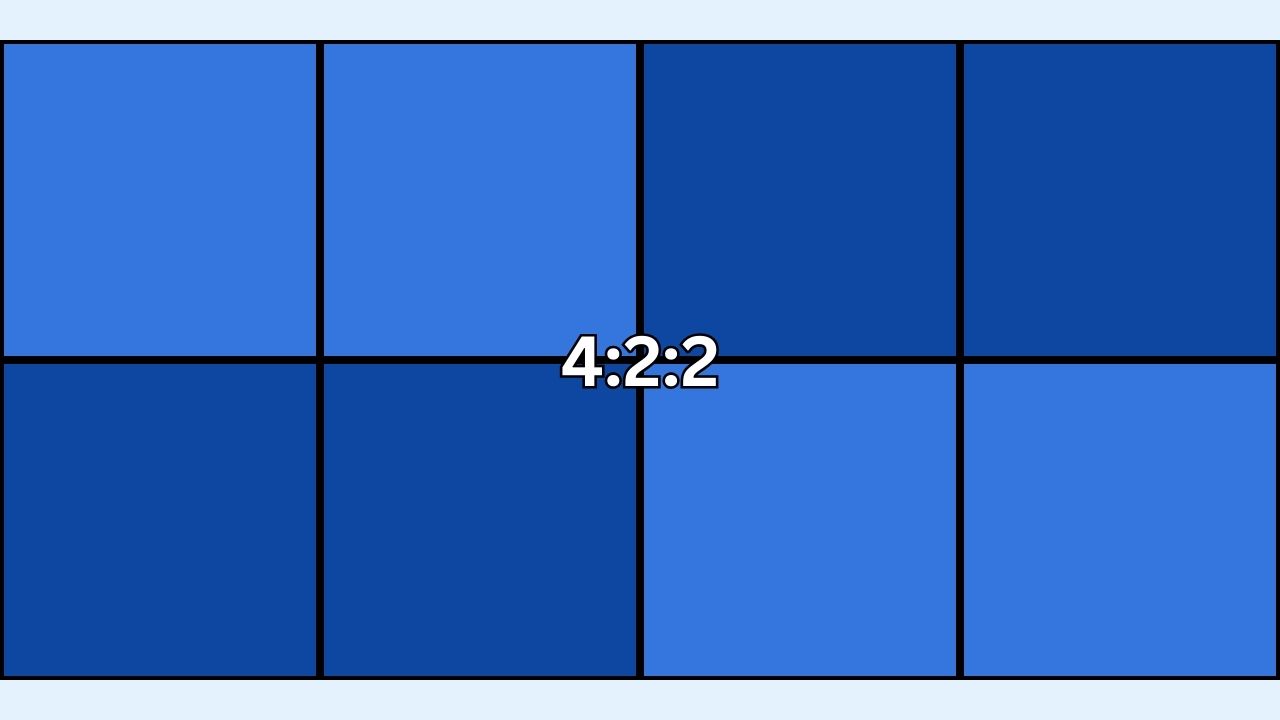
When converting images to JPG online with Img2Go, you might see an option to set the chroma sub-sampling method. But what does it mean, and how does it affect your images? Let's break it down.
What Is Chroma Sub-Sampling?
Chroma sub-sampling is a method used to reduce the amount of color information in an image while keeping the brightness (luma) intact. It is a way to reduce file size without losing much visual quality.
Instead of storing color data for every single pixel, sub-sampling combines or shares color information between pixels. This works because our eyes are more sensitive to brightness than to color.
4:4:4, 4:2:2, 4:2:0 - What Do The Numbers Mean?
These numbers show how color data is shared in an image. They describe how many pixels in a grid have their own color (chroma) information.
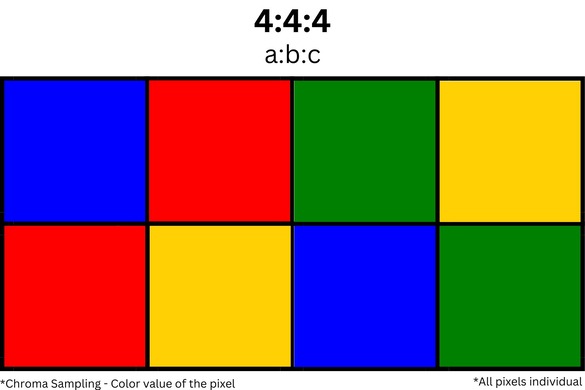
4:4:4
Every pixel has its own color information. This gives the highest quality but results in larger file sizes. It is ideal for professional work like green screen (chroma keying) and editing because it captures the most detail.
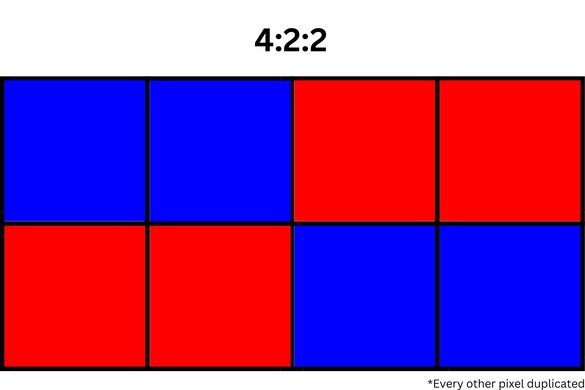
4:2:2
The first row of pixels keeps color data for every other pixel. The second row follows the same rule. This reduces file size while keeping good quality. It is often used in broadcasting and high-quality video work.
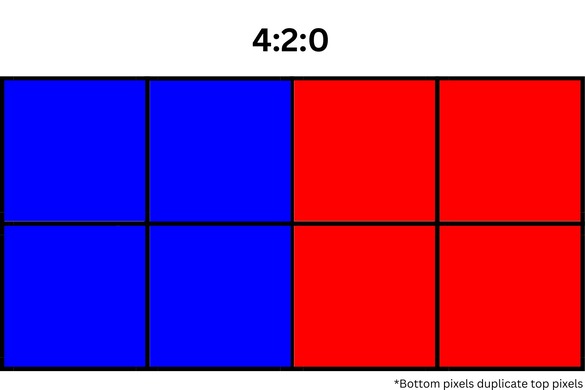
4:2:0
The second row does not get its own color data. Instead, it copies the first row's color. This method saves the most space. It is suitable for everyday use, especially when uploading to platforms where smaller file size matters more than high color precision.
Why Does It Matter?
Choosing the right chroma sub-sampling depends on your needs. If you want the highest quality, choose 4:4:4. For high-quality files with smaller sizes, 4:2:2 is a good choice. If file size is your top priority, 4:2:0 works well for casual use.
In Conclusion
Chroma sub-sampling may sound complicated, but it is actually simple. It is about balancing file size and image quality.
Next time you use Img2Go's Convert to JPG tool, try adjusting this setting to suit your needs. Chroma sub-sampling gives you control to get it just right.

