AI-powered background removal with transparent PNG output.
or drop, paste, or choose from cloud





The background remover includes specialized AI models trained for different types of images. Select the right model for your subject to get the best cutout results.
Two general-purpose AI models handle products, objects, animals, and mixed scenes. Works with most photos where the subject has clear edges against the background.
A dedicated model for human segmentation. Optimized for portraits, headshots, and full-body photos. Handles hair, skin tones, and complex edges with high precision.
A specialized model for clothing segmentation. Isolates upper body, lower body, or full-body garments from the background. Ideal for fashion catalogs and e-commerce listings.
The background remover uses deep learning to analyze your image and separate the foreground subject from the background. The AI detects edges, identifies the main subject, and creates a precise cutout in seconds.
Upload a JPG, PNG, or WebP image and click Start. The AI processes the image and outputs a PNG file with a transparent background. No manual selection or masking is required. The tool handles hair, fur, transparent objects, and complex edges automatically.
For fine-edge detail, switch to Alpha Matting mode. This mode preserves semi-transparent areas like glass, smoke, or wispy hair that standard removal might clip. You can also use Return Mask mode to get a black-and-white mask of the detected subject.
See how the AI background remover handles different subjects. The tool detects edges and creates clean cutouts with transparent backgrounds.


Remove the background from portrait photos and headshots. The Human Portraits model detects hair strands and skin edges for a clean cutout. Use the result for profile pictures, ID photos, or marketing materials.
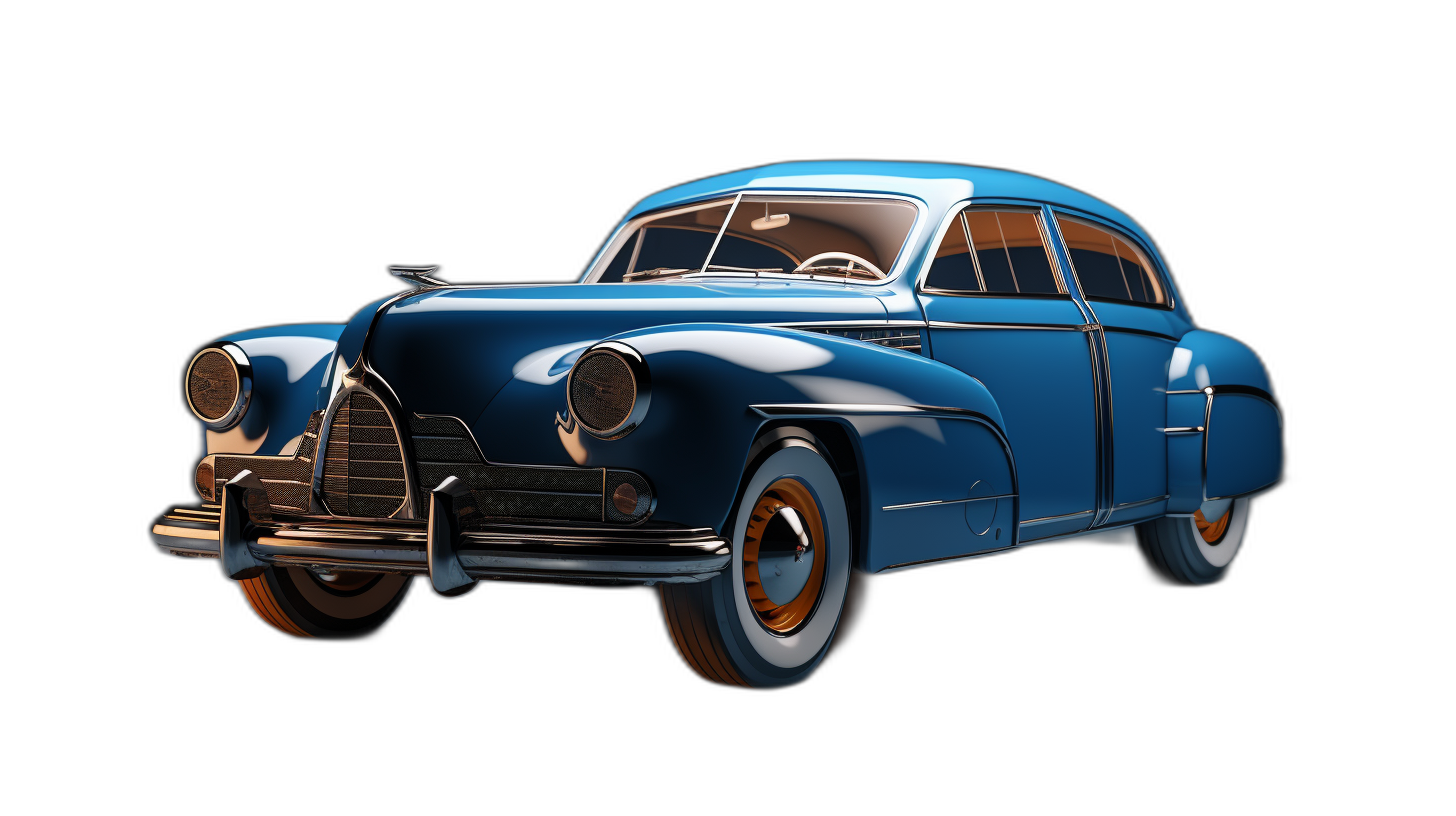

Remove backgrounds from product photos for e-commerce listings, catalogs, and advertisements. The General Purpose model isolates the product and creates a transparent PNG. Place the product on a white background or any custom backdrop.
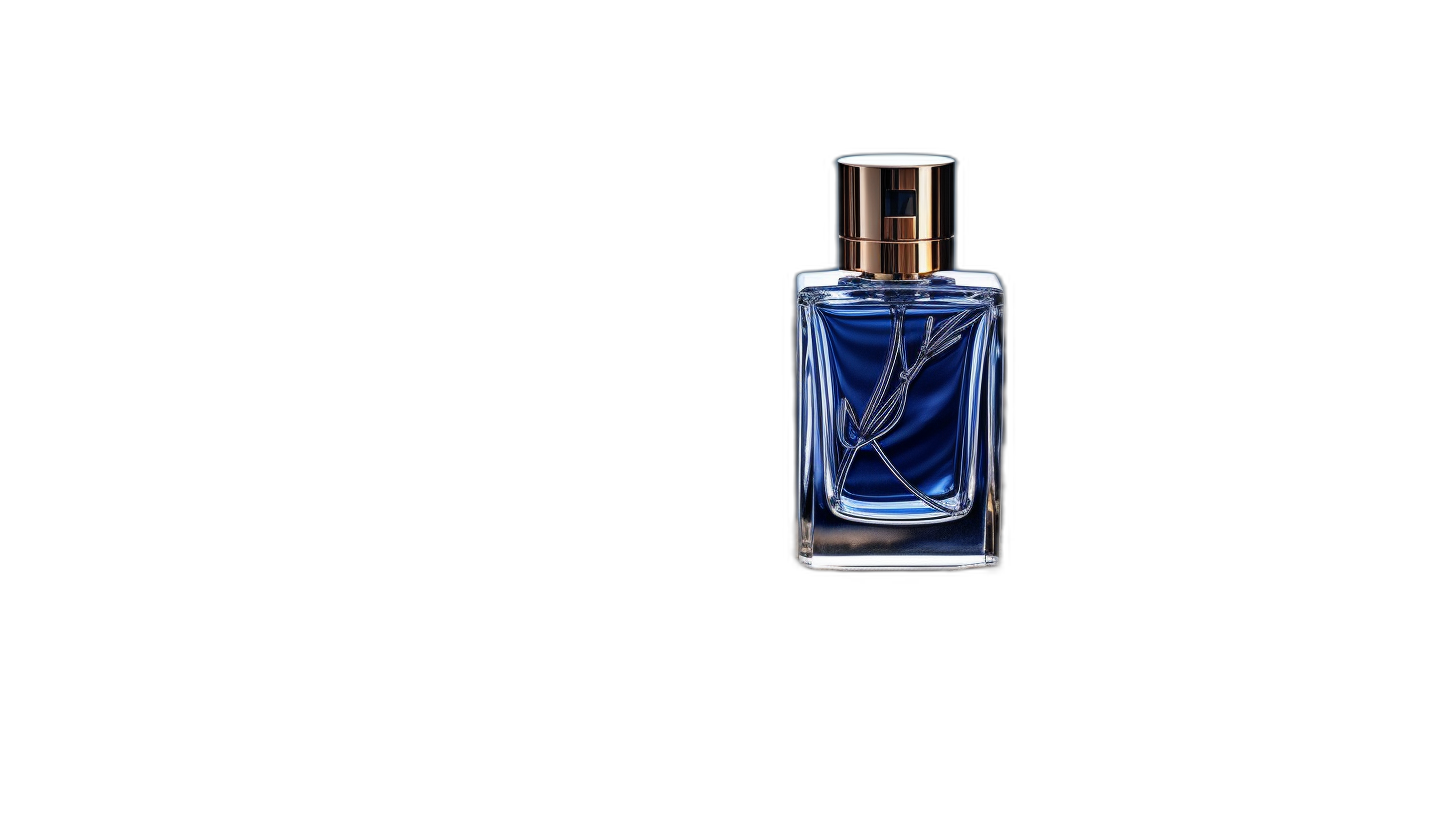

Isolate any object from its background. The AI detects the edges of bottles, furniture, electronics, and other items. Download the result as a transparent PNG and place it on any surface or background for your design.
Remove the background from images for a wide range of applications.
Create clean product photos with white or transparent backgrounds for online stores, Amazon, eBay, and marketplace listings.
Make profile pictures, story graphics, and post images stand out by removing distracting backgrounds and placing subjects on custom backdrops.
Create flyers, banners, and ad creatives with isolated product shots or portrait cutouts. Layer subjects onto branded backgrounds for professional campaigns.
Remove backgrounds from headshots and team photos for corporate websites, resumes, LinkedIn profiles, and ID cards. The Human Portraits model preserves natural hair edges.
Add transparent product images, team headshots, or object cutouts to slides and presentations. Clean backgrounds keep the focus on your content.
Combine cutout images into collages, composites, and graphic designs. Remove backgrounds to layer subjects, create stickers, or build transparent logos and icons.
Remove the background from multiple images at once. Upload a batch of JPG, PNG, or WebP files and process them all with one click. Each image is handled individually by the AI and available for separate download as a transparent PNG.
The background remover accepts images up to 40 MB per file. Input formats include JPG, JPEG, PNG, and WebP. All output files are saved as PNG with transparency preserved. No format conversion is needed before uploading.
Batch processing saves time when you need to prepare product catalogs, team headshots, or social media assets. Upload your images, select the AI model, and let the tool handle the rest. All files are processed securely and available for immediate download.
Upload a JPG, PNG, or WebP image. You can upload from your computer, paste a URL, or drag and drop the file into the upload area.
Select an AI model and click Start. The AI analyzes the image, detects the subject, and removes the background automatically.
Download your image as a PNG file with a transparent background. Use it directly or place it on a new background in any image editor.
Upload your image to the background remover, select an AI model, and click Start. The AI detects the subject and removes the background automatically. Download the result as a PNG file with a transparent background. No software installation or account is required.
Yes, the background remover is free with 2 uses per day. Upload your image, remove the background, and download the transparent PNG. No signup or credit card is needed for free use.
The background remover accepts JPG, JPEG, PNG, and WebP images as input. All output files are saved as PNG with a transparent background. No format conversion is needed before uploading.
Yes, the background remover supports batch processing. Upload multiple images and process them all with one click. Each image is handled by the AI individually and available for separate download.
Upload your image with the white background to the background remover. The AI detects the subject regardless of background color, including white, colored, or complex backgrounds. The result is a PNG with full transparency where the background was.
The background remover offers four AI models. Two general-purpose models handle products, objects, and mixed scenes. The Human Portraits model is optimized for headshots and full-body photos. The Clothes Parsing model isolates garments for fashion and e-commerce use.
Yes, all uploads use encrypted connections. No one has access to your files except you. The processing is fully automated with no human review. Your images are not used for AI training. You keep full copyright and ownership of all uploaded and processed files.

A guide to removing image backgrounds with AI-powered tools.
Read article
Practical use cases for AI background removal in e-commerce, social media, and design.
Read article
An overview of AI tools for image editing, including background removal, upscaling, and restoration.
Read article
Learn the differences between JPEG and PNG formats, including transparency support, compression, and when to use each one.
Read article
Understand how JPEG compression reduces file sizes and why PNG is the preferred format for transparent images.
Read article

