
In today's digital world, removing backgrounds from images is essential to improve visual appeal and support creativity. Thanks to AI technology, achieving professional results is now more accessible than ever. Img2Go's AI Background Remover is an online tool you can rely on.
Keep reading to see how this tool can transform your images in just seconds, for marketing, social media, creative projects, and more. Say goodbye to spending hours manually removing backgrounds and enjoy faster, easier image editing.
The Power of Seamless Background Removal
Background removal uses advanced AI algorithms, like those in Img2Go's AI Background Remover, to automatically detect and isolate the subject in an image. The AI tool analyzes the image and accurately identifies the foreground, so you can remove the background with just a few clicks.
Removing the background gives you more flexibility to customize images to match your creative vision or branding needs.
Img2Go's AI Background Remover: Your Creative Ally
Img2Go's AI-powered tool helps you improve visual quality and expand your creative options.
Here is what makes it a valuable part of your image editing toolkit:
- Effortless Precision: Img2Go's AI models offer high precision, ensuring accurate background removal even in complex images.
- Intuitive Interface: Our BG Remover works well for both beginners and professionals, with an intuitive interface that is easy to use.
- Time-saving: Img2Go saves you time with fast processing speeds that complete background removal in seconds.
How to Use Img2Go's AI Background Remover
Use Img2Go's AI Background Remover with these simple steps:
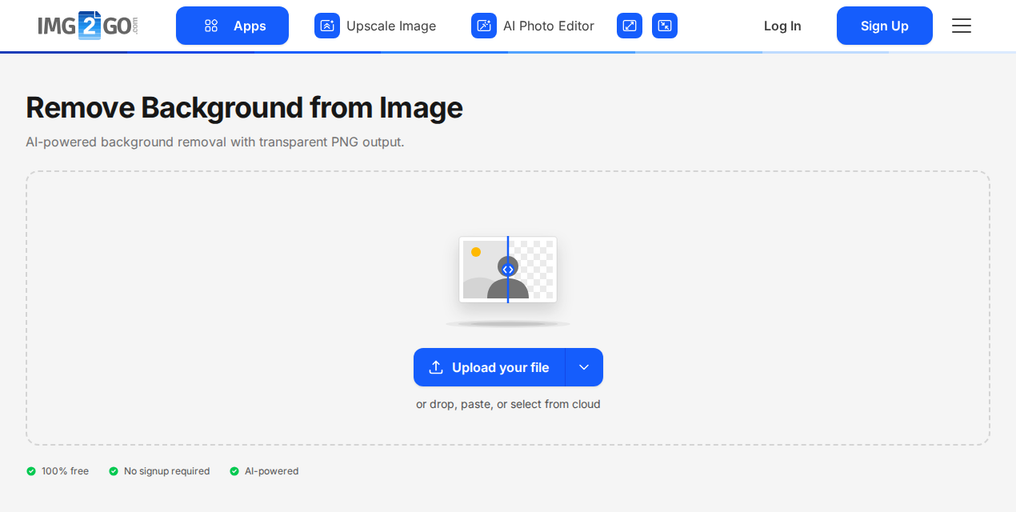
- Upload: Click "Upload your file" or drop your file in the box. The arrow next to the button lets you add it from a URL, Google Drive, OneDrive, or Dropbox.
- Select the Perfect AI Model: Choose from several pre-trained AI models, optimized for different use cases. Select the one that fits your editing needs.
- Let the Magic Unfold: Click Remove Background, and watch as Img2Go's AI does the work. Within seconds, the background will be removed, and your subject will stand out.
- Download: Download your edited image, ready to use in any creative project.
When to Use the Background Remover
Img2Go's AI Background Remover is useful in many situations:
- Perfecting Profile Pictures and Avatars: Make your profile stand out with a clean and polished look.
- Crafting Branding and Logo Designs: Easily place logos into marketing materials and keep your branding consistent with clean background removal.
- Improving E-commerce Product Photos: Showcase your products clearly so they stand out on any background.
- Real Estate and Architecture: Highlight architectural details and present properties clearly in real estate images.
- Fashion and Apparel: Isolate clothing items to create attractive lookbooks and online catalogs.
- Marketing Materials: Design brochures, flyers, banners, and ads that catch attention and are easy to read.
- Presentations: Create clear visuals for educational, training, or public speaking presentations.
- Personal Projects and DIY: Add a personal touch to projects, from custom gifts to party invitations.
In Conclusion: AI Background Remover
Img2Go's AI Background Remover makes image editing easier. With fast and efficient processing, you can get high-quality results in seconds and avoid time-consuming manual work. Whether you work with branding, social media, or e-commerce, this online tool helps you handle background removal efficiently. Try it today!
Can I Use AI Background Remover For Free
If you are a casual user, you can use our AI Background Remover for free and perform a limited number of conversions at no cost. Please note that premium tasks, such as AI usage, require Credits.
Premium Credits act like virtual tokens that give you access to advanced features such as AI Upscale, Colorize Image, Remove Background, and AI Art Generator. Your subscription includes a certain number of Premium Credits. If you run out, you can buy more Credits to keep using these advanced features.
Each paid plan, Starter, Pro, and Business, includes a monthly credit allowance. Learn more on our pricing page.
Credits included in your subscription do not carry over to the next month, but any purchased Add-On Credits will roll over.
Unlock the full potential of AI Background Remover and create high-quality images with ease. Start using it today and experience the difference.