Restore old photos and repair damaged images with AI.
or drop, paste, or choose from cloud





Advanced AI analyzes your photo and repairs damage automatically. No editing skills required.
The tool uses AI to analyze damage patterns, enhance faces, correct faded colors, and sharpen blurry details. Results are ready in seconds with no manual editing.
Toggle the scratch removal option to detect and repair scratches, creases, tears, and surface damage on old photographs. The AI fills in missing areas with realistic detail.
Restore multiple old photos at once. Upload an entire album of damaged images, apply the same restoration settings, and download each restored photo individually.
Photo restoration uses AI to repair old, damaged, or faded photographs. The AI scans your image pixel by pixel, identifies areas of damage such as scratches, tears, noise, and color fading, then reconstructs the missing or degraded details. Faces receive special attention with dedicated face enhancement that sharpens eyes, skin texture, and facial features.
The photo restoration tool offers a scratch removal toggle. Enable it for images with visible scratches, creases, or surface marks. The AI detects these imperfections and fills them with realistic detail that matches the surrounding areas. For photos without physical damage that are simply faded or blurry, leave scratch removal off for a cleaner result focused on color correction and sharpening.
Move the slider to compare original and restored photos. The AI repairs scratches, corrects faded colors, and enhances facial details automatically.
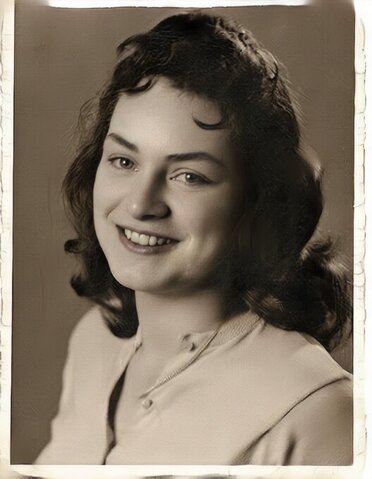
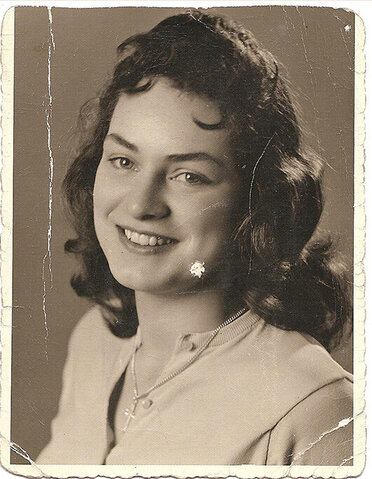
Old portraits often suffer from scratches, noise, and faded skin tones. The AI photo restoration tool removes surface damage and enhances facial features while preserving the original character of the photograph.
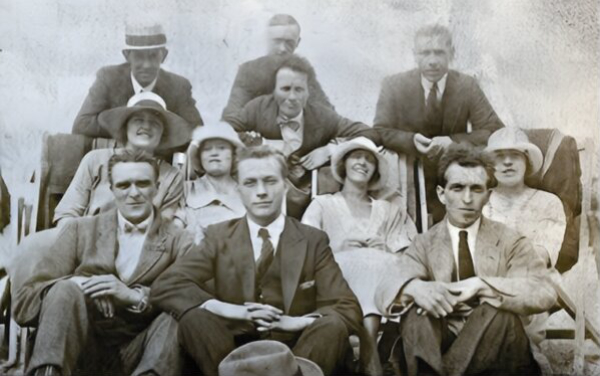
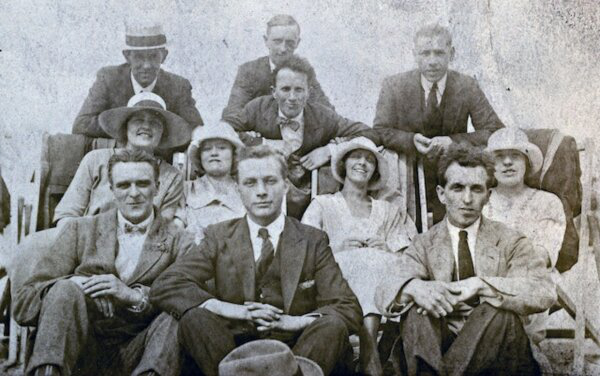
Grainy and faded family photos from past decades can be revived with AI. The tool corrects color balance, reduces grain, and sharpens details so faces are recognizable again.
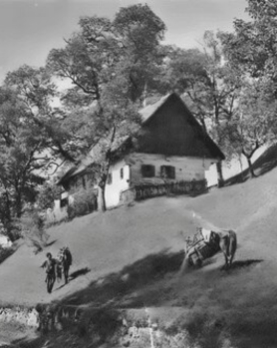
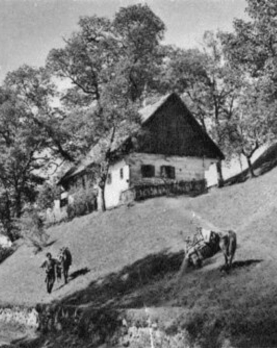
Vintage landscape and architectural photos lose contrast and develop yellow or sepia tones over time. The AI restores natural colors, improves sharpness, and brings depth back to outdoor scenes.
Common scenarios where AI photo restoration preserves memories and improves image quality.
Restore old family photos that have faded, yellowed, or suffered water damage over the decades. Preserve your family history in clear, vibrant digital copies for future generations.
Enhance vintage portrait photos where faces have become blurry or details have faded. The AI sharpens eyes, skin, and facial features while removing noise and grain.
Restore historical photographs, old newspaper images, or vintage postcards. Use the restored versions in research projects, presentations, documentaries, or personal collections.
Restore old wedding photos that have faded or yellowed over time. Give parents or grandparents a renewed version of their special day with corrected colors and improved clarity.
Scan printed photos and restore them digitally to prevent further damage. Build a clean digital archive of your photo collection that can be shared and preserved indefinitely.
Restore old photos before sharing them on social media. Clean up imperfections and enhance colors so your vintage photos look their best on Instagram, Facebook, or family group chats.
All uploads use encrypted connections. The processing is fully automated with no human access to your photos. No backup copies are made. You can also delete files instantly from the server after downloading.
Your photos are not used for AI training. You keep full copyright and ownership of every image you restore. The tool never adds watermarks or shares files with third parties.
Drag and drop your image or click to browse. The tool accepts JPG, PNG, GIF, BMP, WebP, TIFF, and other common image formats. You can also paste a URL or import from cloud storage.
Toggle the "Remove Scratches" option if your photo has visible scratches, creases, or surface damage. Leave it off for photos that are just faded or blurry.
Click "Restore" to start the AI restoration. Download the restored photo when processing finishes. Your original image stays unchanged.
Photo restoration is the process of repairing and enhancing old, damaged, or faded photographs. The AI photo restoration tool analyzes your image, removes scratches and noise, corrects faded colors, and sharpens blurry details. The result is a cleaner, more vibrant version of your original photo.
Upload your old photo to the restoration tool. Enable scratch removal if the image has visible damage. Click Restore and the AI processes your image in seconds. Download the restored photo when it is done. No signup or software installation is required.
Yes, the photo restoration tool is free to use. You can restore old photos without creating an account. Free users get 2 restorations per day. Premium plans offer higher daily limits and batch processing for larger photo collections.
Yes. Toggle the Remove Scratches option before restoring. The AI detects scratches, creases, tears, and other surface damage and fills in the missing areas with realistic detail that matches the surrounding image. For best results, scan the original photo at high resolution before uploading.
The photo restoration tool accepts JPG, PNG, GIF, BMP, WebP, TIFF, and other common image formats. The restored image is saved in the same format as the original. You can upload scanned photos or digital camera images.
Yes. The photo restoration tool supports batch processing. Upload multiple images, apply the same restoration settings, and each photo is restored individually. Download the results one at a time when processing is complete.
Yes, all uploads use encrypted connections. The processing is fully automated with no human access to your images. No backup copies are made. Your photos are not used for AI training. You keep full copyright and ownership of every image you restore.
A step-by-step guide to restoring old and damaged photos with the AI photo restoration tool.
Read article
Add color to black and white photographs using AI. Turn monochrome memories into vivid, lifelike images.
Read article
Increase image resolution with AI. Upscale low-resolution photos to high-definition quality for printing or digital use.
Read article
Understand how JPEG compression reduces file size and how it affects image quality during photo restoration.
Read article
Learn about RAW image format and why scanning old photos in high resolution produces better restoration results.
Read article

