
10 Practical Ways to Use AI Background Remover
From perfect profile pictures to standout product photos, learn how AI background removal can simplify your workflow and boost creativity
11. June 2025 by Bianca Palmer

An AI Background Remover tool is not just about deleting a background, it opens up creative and practical possibilities. Whether you are working on personal projects or professional tasks, here are ten smart, time-saving ways to use this AI tool online.
1. Create Professional Profile Pictures
A clean background instantly elevates your photo. Use it to create polished profile images for LinkedIn, resumes, company pages, or even email avatars. No more worrying about cluttered rooms or random people in the background, just you, front and center.

2. Design E-commerce Product Listings
Shoppers expect clear, distraction-free product images. Removing backgrounds helps your items stand out on platforms like Amazon, Etsy, or Shopify. Replace the background with white, solid colors, or branded textures to match your shop's look.
3. Enhance Social Media Posts & Stories
Want to stand out on Instagram, Facebook, or TikTok? Use AI background removal to cut out people, pets, or objects and place them over themed backgrounds. It is a great way to add personality, humor, or branding to your content.
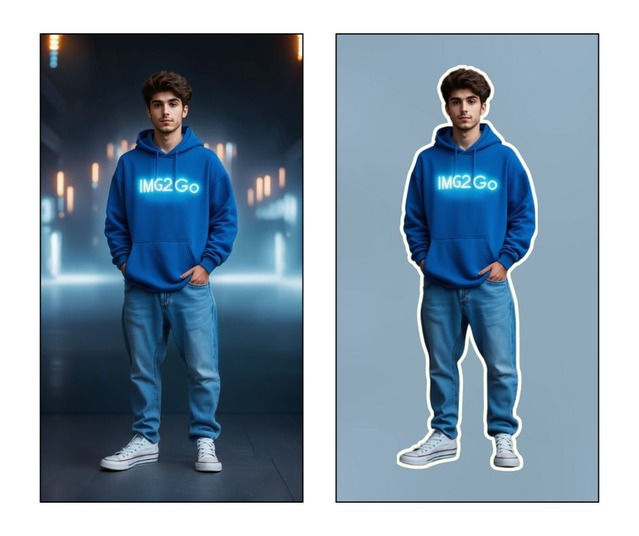
4. Make Stickers or Cutouts for Printing
When designing for crafts, planners, or packaging, clean, background-free images are a must. Use our Background Remover to turn your photos and illustrations into stickers or labels by isolating the object.
Then, add a white outline in a design tool for that authentic sticker look. Finally, save with a transparent background in a print-ready format like PNG!
5. Create Custom Marketing Materials
Make flyers, posters, brochures, and banners that look professionally designed. Removing the background lets you isolate key elements (like products or people) and combine them with text or graphics without distractions.
6. Design Unique YouTube Thumbnails
Grab attention with custom thumbnails that highlight faces or products on bold, dramatic backgrounds. An AI background remover helps you get clean cutouts without needing Photoshop, so you can edit faster and publish more efficiently.
7. Craft Eye-Catching Digital Collages
Unleash your creativity by using AI background remover to isolate elements from multiple photos and combine them into unique digital collages. Great for scrapbooking, mood boards, digital art, or social content, no design software needed, just imagination.

8. Improve School & Work Presentations
A polished presentation is easier to follow. Use background-free images in PowerPoint, Google Slides, or Canva to create visuals that emphasize your message, reduce clutter, and look more professional.
9. Create Visuals for Websites and Blogs
Use the AI background remover to produce clean, professional-looking images that enhance your blog posts or web pages. It is a quick way to make your content more engaging and visually appealing.
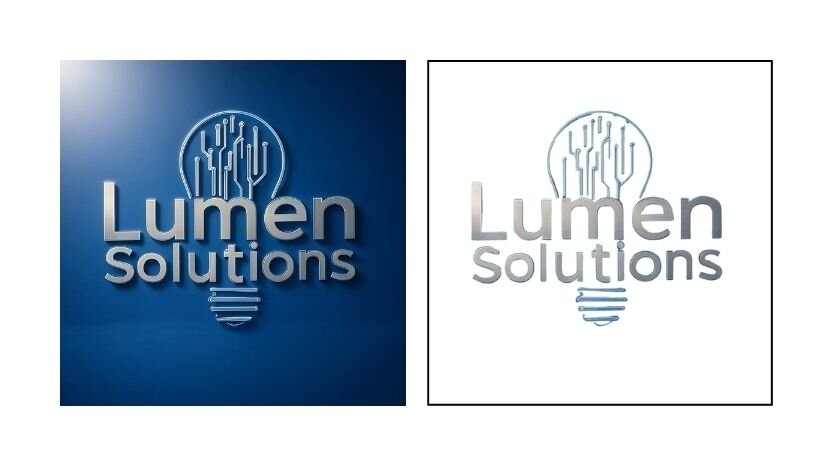
10. Make Transparent Logos or Icons
Have a logo with a colored background? Remove it to create a transparent version you can easily place on websites, emails, or branded merchandise. A transparent PNG format is ideal for a cleaner, more professional look.
In Conclusion: AI Background Remover, More Than Just a Tool, It is a Creative Shortcut
If you are selling products, designing graphics, or just having fun, AI background removal simplifies the process and gives you creative control. No complex software, no steep learning curve, just upload, remove, and get to work.
Try the AI Background Remover from Img2Go and see how easy it is to turn any image into something useful.

