
What is OCR?
A Guide to Understanding and Using Optical Character Recognition
21. August 2024 by Bianca Palmer
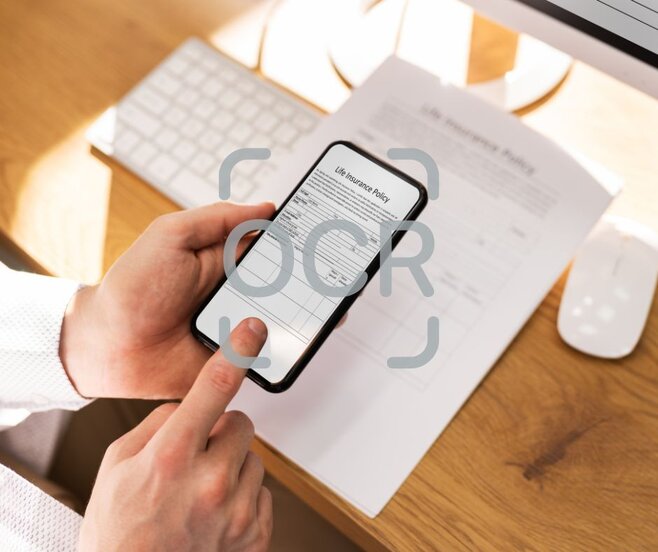
Optical Character Recognition, or OCR, may sound complex, but it is a simple and powerful technology. Imagine you have a stack of printed documents and want them in digital form so you can search, edit, or store them easily. That is where OCR helps, turning printed characters into machine-readable text.
Definition of OCR
At its core, OCR is a technology that converts different types of documents, such as scanned paper documents, PDFs, or images captured by a digital camera, into editable and searchable data. This is done with software that interprets and "reads" the characters in the document and turns them into digital text.
Brief History of OCR
OCR began in the early 20th century with efforts to assist the visually impaired. The technology advanced with computers in the 1950s and 1960s, evolving from simple character reading to the pattern recognition systems we use today. Over the decades, OCR has become a key part of document management systems worldwide, growing more accurate and efficient.
How Does OCR Work?
Image Preprocessing
The first step in OCR is preprocessing the image to improve the quality and clarity of the text. This includes adjusting brightness and contrast and removing noise or distortions. This step helps the following processes work more accurately.
Character Recognition
Once the image is prepared, the OCR software uses algorithms to detect and extract characters from the document. It analyzes the patterns and shapes of letters and numbers and compares them with a database of fonts and characters.
Post-Processing
After recognizing the characters, the text goes through post-processing to correct errors and improve accuracy. This can include spelling corrections, formatting adjustments, and checks to ensure the text is coherent and readable. The result is a digital document ready to use.
Benefits of Using OCR
Increased Efficiency
OCR removes the tedious task of manual data entry and speeds up digitizing documents. Whether it is invoices, forms, or historical records, OCR can process them quickly and accurately.
Cost Reduction
By reducing the need for manual data entry, businesses can save a significant amount of money. This approach also reduces errors and helps avoid costly mistakes.
Improved Accessibility
With OCR, information becomes more accessible to everyone, including people with disabilities. Digitized documents can be read aloud by screen readers, making information available to a wider audience.
Applications of OCR
Business and Finance
In business, OCR is used to process checks, invoices, and receipts, enabling quick and accurate data management. It also helps organize documents, making it easier and faster to find information.
Healthcare
In healthcare, OCR is used to digitize patient records, prescriptions, and medical histories, allowing efficient management of patient information. This ensures fast access to critical data and supports better patient care.
Education
Educational institutions use OCR to digitize books, research papers, and academic journals, making it easier for students and educators to access and share information.
Legal Sector
Lawyers and law firms use OCR to convert paper documents into digital formats, streamlining legal research and case management, improving productivity, and keeping important information easy to access.
Types of OCR Technology
Traditional OCR
Traditional OCR focuses on recognizing printed text, making it suitable for standard documents like books and newspapers. It is reliable and efficient for most common uses.
Intelligent Character Recognition (ICR)
ICR is designed to read handwritten text. It learns and adapts to different handwriting styles, improving accuracy over time.
Optical Mark Recognition (OMR)
OMR is used to capture data from forms like surveys and tests, where respondents fill in checkboxes or circles. It is widely used in educational testing and market research to speed up data collection and analysis.
Challenges in OCR
Handwriting Recognition
While OCR works very well with printed text, handwriting recognition remains challenging due to different writing styles and legibility. Work is ongoing to improve this with advanced algorithms and machine learning.
Poor Image Quality
Low-resolution images or images with a lot of noise can reduce OCR accuracy. High-quality images are important for good results, and software continues to improve to better handle low-quality inputs.
How to Use OCR
Choosing the Right Tool
Choose OCR software based on your needs. Some tools are better for text-heavy documents, while others work well with images or handwritten notes. Look for features that match your requirements, such as accuracy, speed, and compatibility with your devices.
Quick Guide to Using OCR with Img2Go
- Visit Img2Go: Select the tool Convert Image to Document.
- Upload image: Drag and drop your image file here, or click to select it.
- Choose format: Select your preferred document format from the drop-down menu.
- Enable OCR: Check "Convert with OCR" and select the text language if needed. Optional settings:
- Merge: Combine multiple images into a single PDF.
- Deskew: Straighten skewed images.
- Start Conversion: Click "START" to begin. Img2Go will process your image and convert it to a text file you can download.
For a detailed guide on converting images to documents using OCR with Img2Go, check out our blog.
Tips for Best Results
For the best results with OCR, start with a high-quality image. Make sure your document is clean and free from smudges or marks. When scanning, use a resolution of at least 300 DPI for optimal clarity. Align the text properly, as skewed text can lead to errors. Regularly update your OCR software to benefit from the latest improvements in recognition accuracy. Every detail counts.
AI advancements
With the rise of artificial intelligence, OCR technology is set for significant advancements. AI-powered OCR can recognize complex layouts and context, improving accuracy and speed. These improvements make OCR an essential tool for businesses and individuals alike.
In Conclusion
OCR is more than just a tool; it's a bridge that connects our analog past with our digital future. It empowers us to use the vast amounts of information locked away in physical documents, transforming it into usable, searchable, and editable data.
OCR offers a world of possibilities. So why not give it a try? Explore the benefits and see how this technology can enhance your productivity and accessibility.
The future is digital, and OCR is here to lead the way.

