
Why WebP Sparks So Much Debate
Exploring WebP's benefits and challenges
04. February 2025 by Bianca Palmer
Is there anything worse than downloading an image from the internet only to find it saved as a WebP file? For years, users disliked the WebP image format because it was nearly impossible to open without converting it first. However, things have changed. Today, WebP images are better supported and easier to work with. They offer clear benefits, including smaller file sizes and high-quality visuals. So, why does the negativity persist, and how can you work with this debated format? Let's find out!
What Is WebP, and Why Does It Exist?
Google introduced the WebP image format in 2010 to create a more efficient way to store images online. The goal was to combine the quality of formats like JPEG and PNG with much smaller file sizes.
WebP images support lossy and lossless compression, making them versatile for different use cases.
For example, WebP can replace large PNG files or compress JPEG images further while keeping their quality. Studies show that WebP images are up to 34% smaller than JPEGs of similar quality, which can save significant bandwidth, especially for websites with many images.
Why Is WebP Controversial?
The dislike for WebP largely comes from one frustrating issue: poor compatibility.
When Google introduced WebP, web browsers quickly supported it. Websites also adopted it because of the smaller file sizes and faster load times. However, desktop programs like Windows Photo Viewer, Photoshop, and iOS apps were slow to add support.
Users couldn't open or edit WebP files without installing additional software or converting WebP to JPG or WebP to PNG first. This gap between web and desktop support made WebP inconvenient.
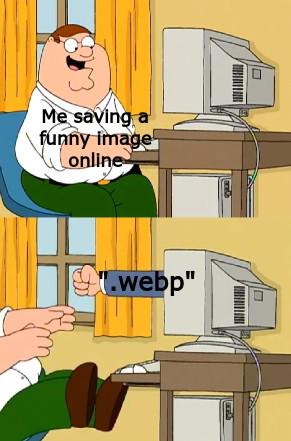
Even today, the dislike for WebP lives on as a meme. Although support for the format has improved a lot, the memory of its early frustrations remains.
Converting WebP to Other Image Formats
When you work with WebP images and need to convert them to other formats, Img2Go has a simple solution.
The Convert image to image tool makes it easy to switch from WebP to PNG, WebP to GIF, or WebP to JPG in just a few clicks.
How to Convert an Image to Image Online?
- Go to Img2Go and select Convert image to image online tool.
- Upload your WebP file (or any other image format).
- Choose the target format (JPG, PNG, GIF, or others) from the drop-down menu.
- Optionally, apply image editing filters to adjust quality, DPI, or colors.
- Click on "START" to complete the conversion.
Img2Go's WebP converter ensures you get the format you need without sacrificing quality.
The Benefits of WebP Today
WebP has come a long way, offering better compatibility, efficiency, and features that make it a go-to format for web and digital creators.
Here's what makes WebP stand out:
- Improved Compatibility: Modern platforms and web browsers now widely support WebP files.
- Effortless Editing: You can easily view thumbnails, open files directly, and edit them in popular tools without extra plugins.
- Versatile Features: WebP combines the best of other formats, offering transparency like PNG and animation like GIF.
- Smaller File Sizes: It provides high-quality visuals with smaller file sizes, helping improve website performance and load times.
- Web Animation Challenges: While animated WebP files work well in browsers, they still have limited support in some non-browser applications.
- Widespread Adoption: WebP is increasingly used in website builders, CDNs, and media platforms, showing its growing importance.
With its balance of quality, efficiency, and flexibility, WebP is becoming an important format for today's digital landscape.
In Conclusion: Embrace WebP or Convert It
The days of dreading WebP images are over. With better WebP support and online tools like Img2Go's WebP converter anyone can easily work with this format.
Whether you are optimizing images for the web or simply converting WebP to PNG, JPG, or GIF, the process is now painless. So do not let old frustrations hold you back.
Embrace WebP for its efficiency, or convert it to a format you prefer with ease.

