
How to Use the Img2Go AI Art Generator
Learn how to use the Img2Go AI Art Generator with this short tutorial
09. November 2023 by Bianca Palmer Updated on 14. May 2025
Art is taking on new forms with the help of artificial intelligence. Img2Go AI Art Generator is a key example of this intersection of technology and creativity.
This handy tool lets you turn text prompts into unique visual artwork in just a few simple steps. Here, we will walk you through the process of creating your AI-generated art using Img2Go.
What is the AI Art Generator?
Img2Go - AI Art Generator is a tool that showcases the fusion of technology and creativity. It is driven by the Stable Diffusion model, a technology that creates images from text descriptions, often referred to as prompts.
In simpler terms, it turns your written text into visual artworks.
How Does Img2Go's AI Art Generator Work?
Step 1:
To get started, select the AI Art Generator tool, enter your prompt, choose your preferred style and size, and then click START. This will take you to the tool page - the AI Creator Studio .
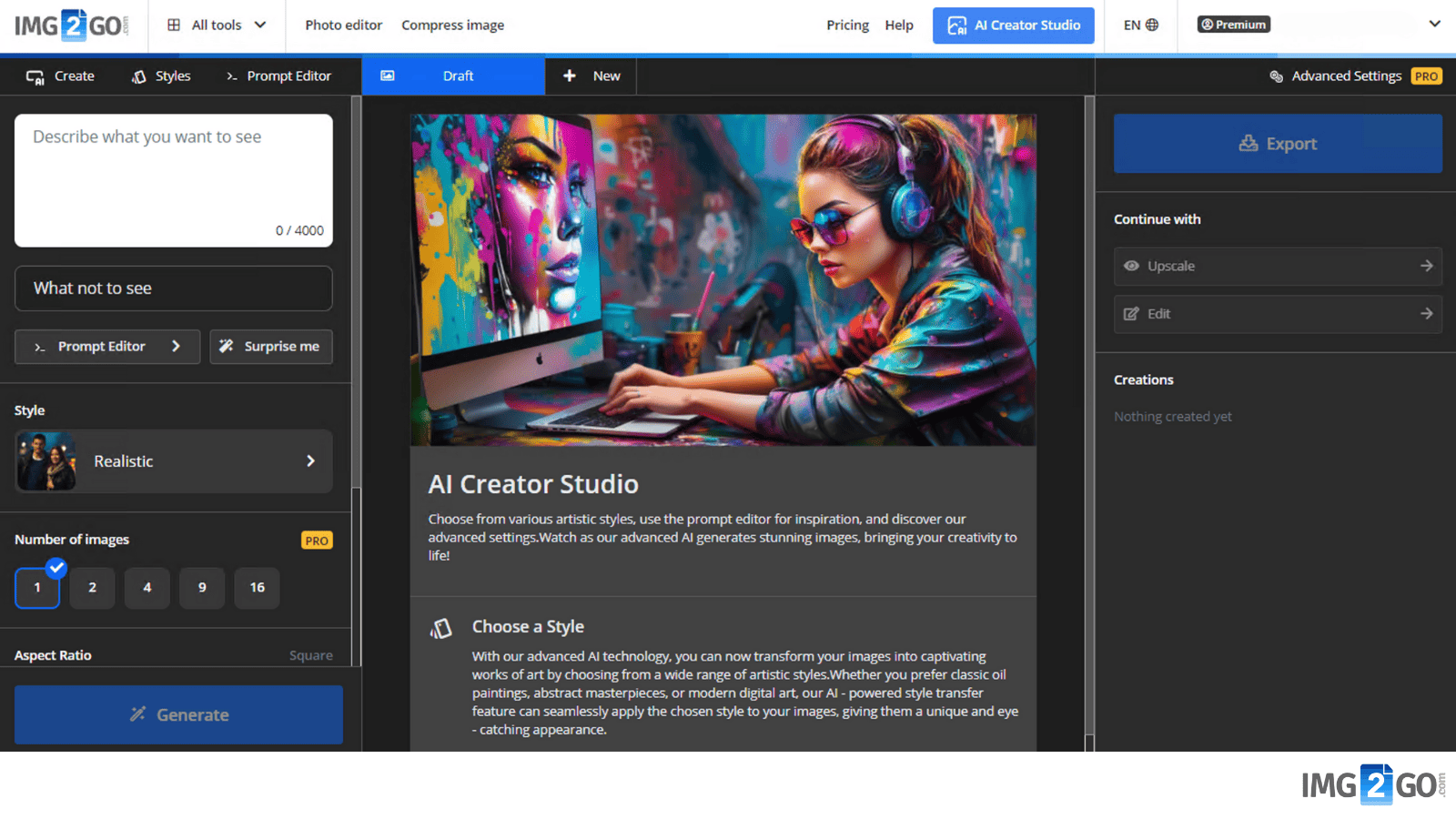
If you are in a hurry, you can just click START to go straight to the AI Creator Studio.
Step 2:
In the AI Creator Studio, you can use the Prompt Editor to refine your prompt by selecting categories like lighting, mood, lens, art style, and more.
Step 3:
Click Generate to get results.
If the results do not meet your expectations, click Generate again to create new images.
Step 4:
When you are happy with your generated image, you can download it.
You can create multiple prompts in the same session by adding new tabs.
Further Editing and Upscaling
If you want to improve your image, the AI Creator Studio offers additional tools for further editing and upscaling your generated images.
These tools let you fine-tune and enhance your artwork. Try them out and keep refining your vision. You can download the image you like at any time.
How to Access Generated Images?
In the top right corner, you'll see the "My Creations" option. Here, you can find all the images you've generated during the current session. Access and manage your creations from this section.
It is a good practice to download any images you like right after generating them.
Unlocking the Full Potential with a Premium Subscription
Img2Go's AI Art Generator is available for free to all users. You can use the AI art generator without any charge. However, the Premium subscription unlocks a variety of advanced features.
With a Premium subscription, you can:
- Bypass the queue: Premium subscribers get faster file processing so their creations are ready sooner.
- Generate multiple images: With a Premium account, you can generate up to 16 images at once.
- Get higher resolution art: Generate high-resolution art for more detailed and visually rich creations.
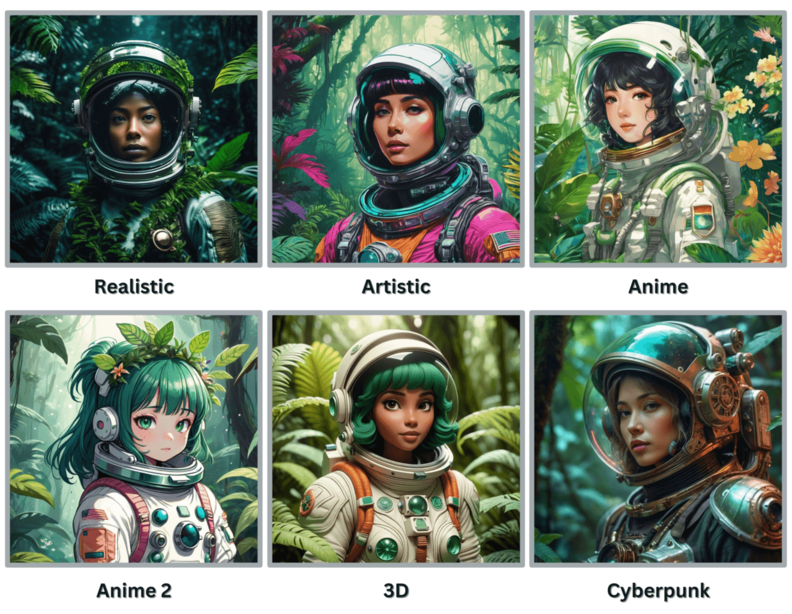
- Expanded Art Style Selection: AI Art Generator offers a library of art styles. Premium subscribers can choose from an even broader selection, so your artistic vision aligns with your chosen style.
- Adjust prompt weight: Fine-tune how much your input affects the resulting image. As a premium subscriber, you can adjust the influence of your prompts for more precise control over the creative process.
- Select runs: Premium subscribers can choose between Short, Medium, or Long runs.
A Short Run typically uses a quicker and less complex process to generate an AI-created image. It may use fewer computing resources and produce an image faster.
A Medium Run usually offers a balance between speed and quality. It generates images with moderate complexity, adding more details and finer characteristics than a Short Run. This option may take a bit longer to complete.
A Long Run uses a more extensive and time-consuming process to create an AI-generated image. It typically produces higher quality images with intricate details, textures, and fine-tuned artistic elements. This option may take the longest time to complete.
Understanding Credits
Credits are virtual tokens used to measure the processing power needed to complete tasks on the platform. The number of Credits deducted depends on the complexity and duration of each task.
When generating AI images with AI Creator Studio, the system now charges 8 Credits for every 10 seconds of processing time. This task-based pricing model ensures fair billing: longer, more complex tasks using advanced AI tools may consume more Credits, while shorter tasks often cost less.
The price of a single Credit has been reduced to offer better value to most users.
You can track your Credit usage and view your full history directly in your user profile. For more details, visit the pricing page.
Running Low on Credits?
Combine a Subscription plan with a Pay As You Go package. If you have both, your subscription Credits will be used first. When you run out of subscription Credits, the Pay As You Go package will act as a backup, so you can keep working without interruptions.
Pay-As-You-Go packages are one-time purchases that let you buy Credits whenever you need them. These Credits roll over to the next month and expire one year after payment.
If you have any questions or need help, contact our support team.
Are There Any Discounts?
We understand that our product prices may not fit everyone's budget. For this reason, we've introduced an educational program to support teachers and students.
Additionally, we offer an unlimited free trial. Credits to test our tools renew every 24 hours. Feel free to use this opportunity, while keeping in mind that we also need to cover our costs and continue improving our services.
Conclusion: Img2Go AI Art Generator
Img2Go's AI Art Generator is a creative tool that turns text prompts into visual artworks. Whether you are an artist, a content creator, or simply exploring your creativity, this tool helps you create unique artworks with ease.
Unlock premium features for faster processing, multiple image generation, higher resolutions, and more art style options. Customize your creative process by choosing the run and prompt weight that match your vision.
We also hope that this article has answered the key questions about our AI Art Generator and AI Creator Studio. Now it is time to start your creative journey and let your imagination run wild!

