
Want to turn a JPG into a PNG or a PNG into a GIF? Img2Go's Convert Image to Image tool makes it simple. This online image converter removes compatibility issues so you can quickly transform your images. With options like resizing, applying filters, and adjusting colors, it is the only tool you need for smooth image conversions.
See how to get the most from Img2Go's image-to-image converter and why it works well for both professionals and casual users.
Why Convert Image to Image?
-
Compatibility Across Platforms
Different platforms and software may require specific image formats. For example, for websites, PNG or SVG might be ideal, while for social media, JPG might be more suitable. Converting your images ensures they work smoothly across different platforms and tools.
-
Reduce File Size for Faster Loading
Converting a high-resolution PNG or TIFF to a JPG can greatly reduce file size without visible loss of quality. This can improve website loading times and make sharing images via email or social media easier.
-
Improve Image Quality and Suitability
Sometimes an image looks good in one format but not in another. By converting your images, you can apply settings like DPI, color filters, and resizing to get the right result for printing or online use.
-
Customization for Professional Results
The app lets you adjust key settings like quality, DPI, and color mode, giving you control over the final result. Whether you're editing a logo, photo, or design, you can fine-tune it to suit your needs.
-
Batch Conversion for Efficiency
If you have many images to convert, Img2Go can save time by letting you upload and convert them all at once. This batch feature is useful for businesses, designers, and photographers who work with many images.
-
Flexibility in Image Formats
Sometimes you need a vector image for scalability (SVG), but only have a JPG. With Img2Go, you can convert to formats like JPG, PNG, SVG, GIF, and more, giving you flexibility for different uses.
Why Choose the Image-to-Image Converter?
- Versatile Conversion Options: Convert JPG to PNG, PNG to GIF, JPG to SVG, and more.
- Customizable Settings: Control every detail of your image conversion. Resize, change the color mode, set DPI, or sharpen and enhance your image.
- Deskew Feature: Have a slightly tilted image? Enable deskew to straighten it automatically.
- Quick and Simple: Convert files with just a few clicks to save time and effort.
How to Convert Image to Image
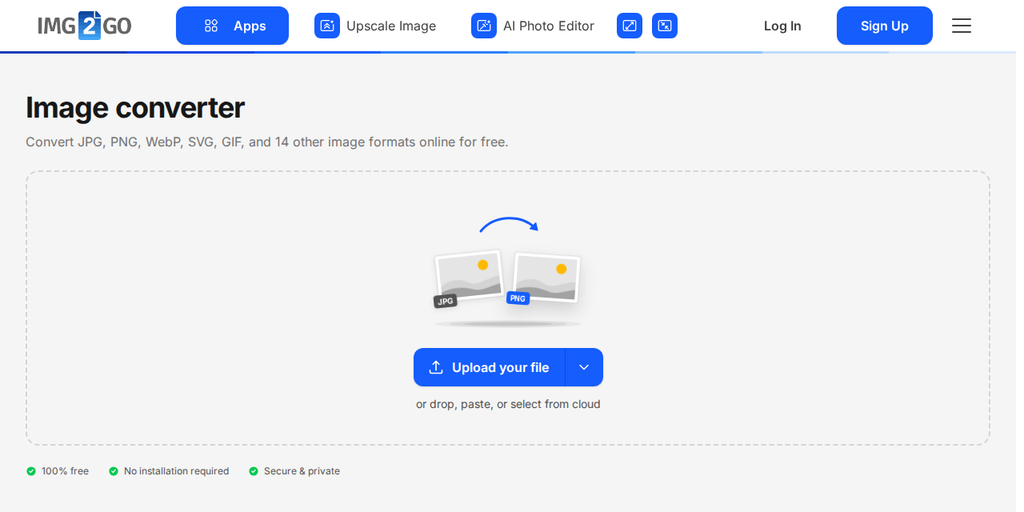
- Visit the Img2Go website: Select the Convert Image to Image tool.
- Upload your file: Drag and drop your image or browse to upload it.
- Optional settings: Adjust size, color, DPI, and other options if needed.
- Click "Convert to Image": Img2Go processes your file right away.
- Download your image: Save your image file or share it directly from Img2Go.
In Conclusion
Convert your images easily today. Whether you need images for your website, social media, or design projects, Img2Go makes the process fast, simple, and customizable.
Start converting now. Your optimized image is just a few clicks away.