
How to Recreate Images with AI
Use AI Creator Studio to generate similar images from old photos and explore the power of AI-driven creativity.
04. February 2025 by Bianca Palmer
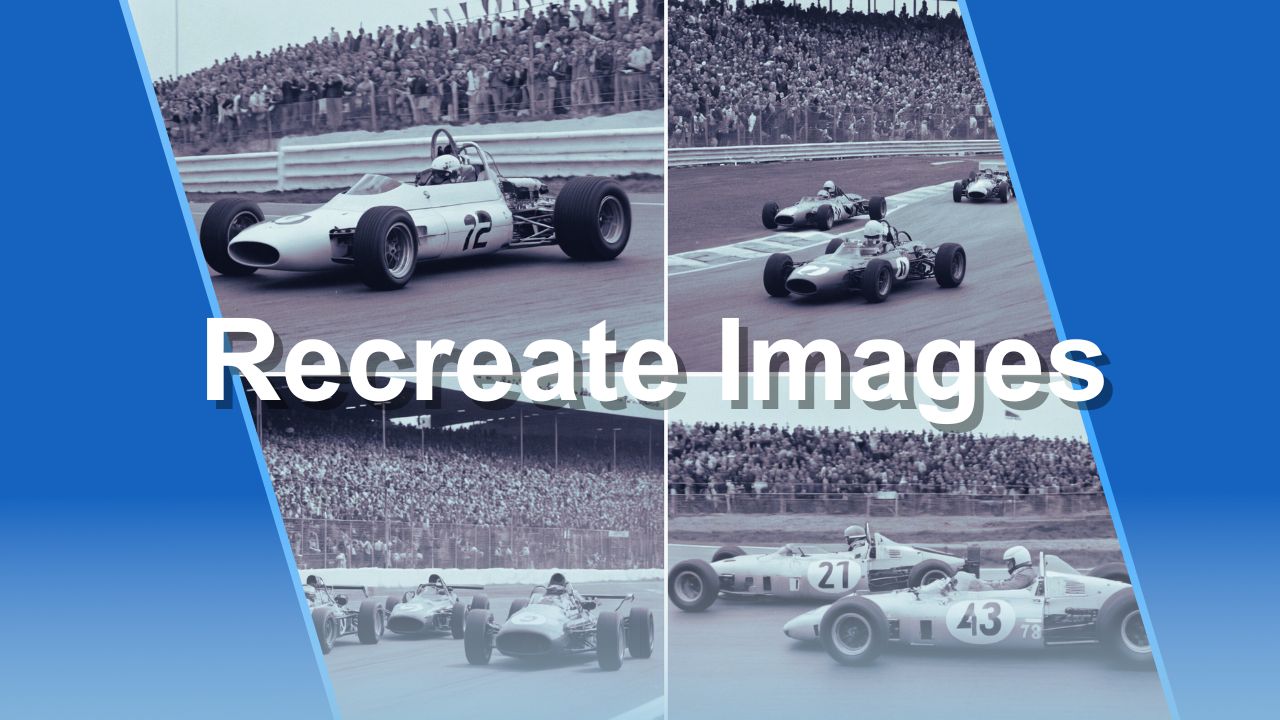
Are you curious about how you can recreate images? AI Creator Studio's Image-to-Image generator makes it easy and fun to generate similar images based on existing ones. Whether you're an artist looking for inspiration or someone who wants to explore the power of AI, this popular tool has something for everyone.
Imagine uploading a famous image and creating brand-new photos in a similar style. Sounds fascinating, right? Keep reading. We'll show you how you can do just that.
Why Use AI to Recreate Images?
Using AI to recreate images has endless possibilities. It is not just about "copying"; it is about reimagining and enhancing.
With AI Creator Studio, you can also:
- Preserve memories: Give old photos a fresh, artistic look.
- Experiment with styles: Transform images into modern art or vintage aesthetics.
- Discover creative ideas: Use AI to explore how different versions of a photo might look.
- Create your stock photos: Upload your favorite stock photo and craft your unique variations. Modify content, scenery, or mood with ease, all without worrying about licenses.
And the best part? You do not need any technical skills. The tool's user-friendly interface guides you every step of the way.
Step-by-Step: How to Use the Image-to-Image Generator
Here is how you can start recreating images:
- Choose Your Source Image: Pick a photo you want to recreate.
- Upload to AI Creator Studio: Select "From Image" and upload your image.
- Fine-Tune Details: Click and describe what you want to see.
- Select a Style or Setting: Customize the output by choosing artistic styles or other preferences in Prompt Editor.
- Generate Similar Images: Click the button and let the AI work. You will get a range of results that stay "similar" to the original but with a new twist.
- Download or Refine If Needed: If the results are not quite what you wanted, tweak the settings and try again. If you like the result, click on "Download".
TIP: Choose a "Photorealistic" or "Realistic" art style for recreating old, black-and-white photographs.
See the Magic in Action
To better understand the potential of the AI Creator Studio, let's look at some examples.
How AI Transforms Human Portraits
For this example, we will use a famous old photo. The original Migrant Mother image, captured by Dorothea Lange in 1936, is a powerful depiction of the Great Depression.
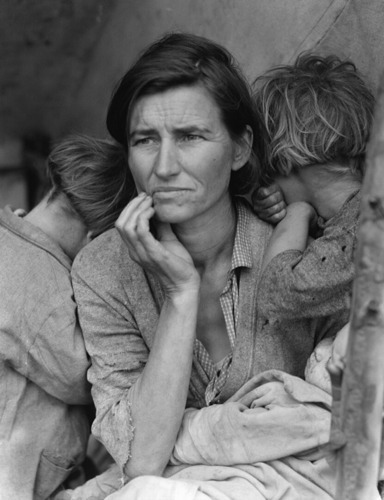
It shows a worried mother with her children, reflecting the hardship and resilience of the era. The black-and-white composition, the raw emotion in her eyes, and the documentary-style realism make this photograph an unforgettable piece of history.
How to recreate this image using AI Creator Studio
- Under Fine-Tune Details, we added this description: create a similar image of Migrant Mother, by Dorothea Lange.
- In the Prompt Editor, we used the following modifier: black and white, tri-x 400TX.
- Art style: Realistic.
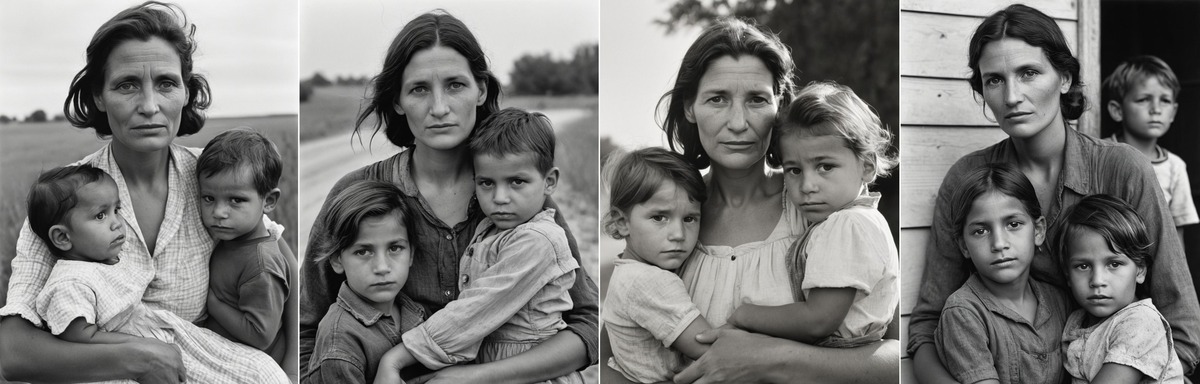
As you can see, by using AI Creator Studio we obtained a series of images that retain the original's classic black-and-white tone and emotional depth.
- Emotional accuracy: The woman's and children's expressions remain serious, almost identical to the original, showing that AI can interpret facial expressions and convey emotions.
- Similar composition: In most generated images, the mother holds her children in a familiar pose, preserving the original structure.
- Subtle variations: Some changes are noticeable in details like hairstyles, clothing, and background, but the overall arrangement remains consistent.
This AI recreation shows how Img2Go's Img-to-Img generator can maintain the emotional and visual identity of historical photographs while introducing variations that refresh the original. This opens up new possibilities for creative reinterpretations of classic images without losing their historical significance.
Alternative Option: Try Generating Images "From text"
Provide a detailed description, like this one:
"A black-and-white documentary-style portrait of a weary, strong mother with deep, thoughtful eyes, gazing into the distance, her face shows signs of hardship, with soft shadows emphasizing her cheekbones and furrowed brow, she wears a worn, simple dress, and her dark, unkempt hair is slightly tousled, two young children lean against her, their faces turned away, resting on her shoulders, a rural Depression-era setting, raw emotion, resilience, and the struggle of poverty, in the style of classic 1930s photojournalism, in the style of Dorothea Lange"
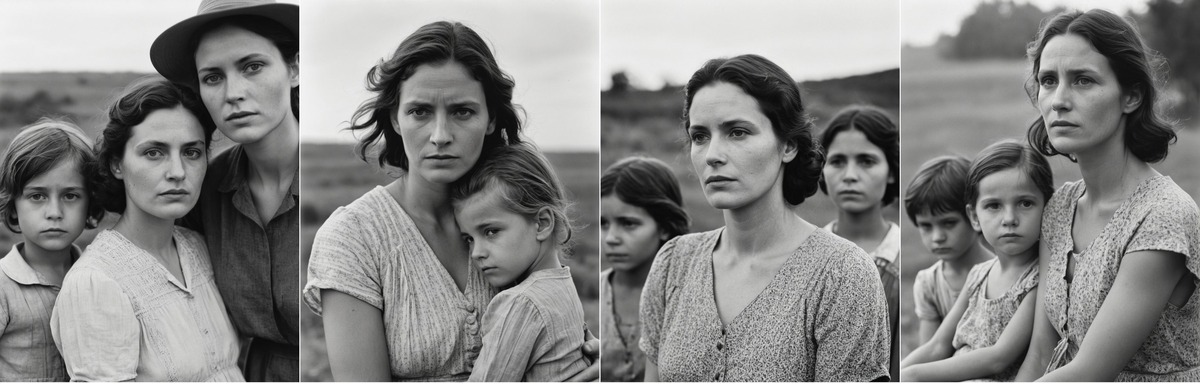
The AI-generated images capture the central mother figure, children, and rural background. While the composition remains similar, slight variations in angles, gazes, and background details appear. The AI effectively retains the solemn, contemplative expressions, though each face has unique subtleties. Stylistically, the black-and-white documentary feel is well replicated, though some images have a more modern polish.
However, these recreations are not exact replicas, highlighting both the strengths and limitations of text-based AI generation, which interprets rather than precisely reconstructs historical images.
How AI Reimagines Objects and Scenes
An original reference photo: Zandvoort Formula II Grand Prix (1967)
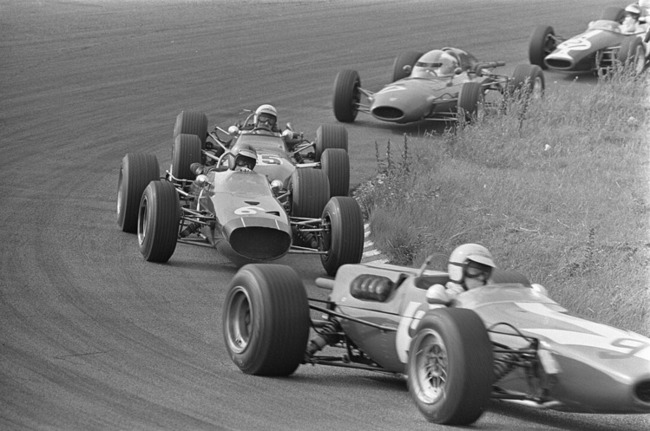
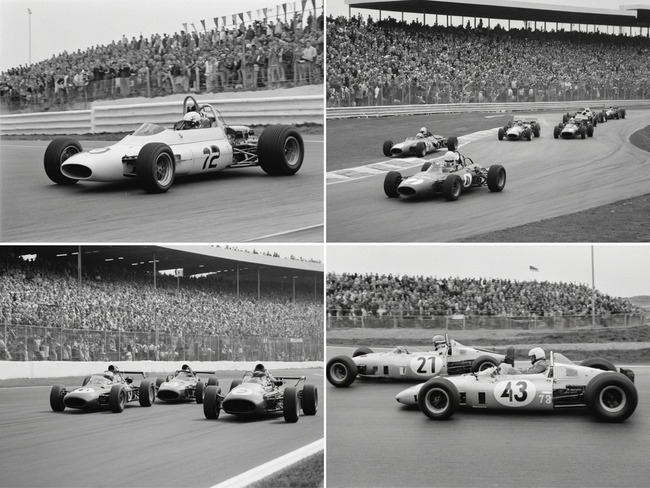
As a result, we obtained a series of vintage Formula racing moments, closely resembling classic motorsport photography. These AI-generated images depict open-wheel race cars speeding around a circuit, with large crowds of spectators in the background. The black-and-white aesthetic enhances the historical feel, reminiscent of mid-20th-century Grand Prix races.
AI-generated images:
How AI Handles Urban Scenes
An original reference photo: One Times Square Under Construction (1903)
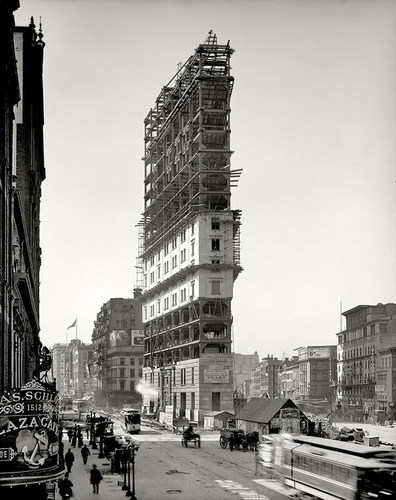
The AI-generated results from the original image show strong stylistic and compositional consistency.
The images keep the historic black-and-white look, clearly showing the tall structure in a busy cityscape. However, you can see differences in the scaffolding, advertisement placements, and minor architectural details, showing how the AI interprets and rebuilds elements instead of copying them exactly.
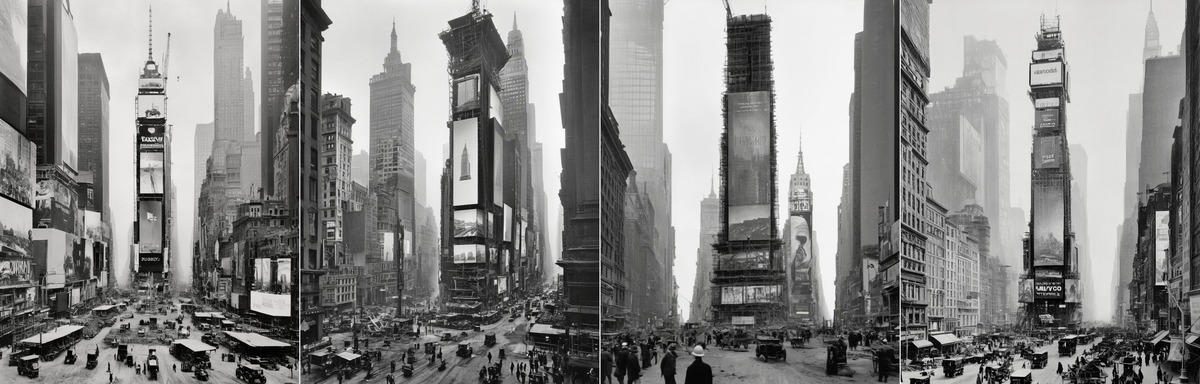
The atmospheric fog and vintage city life are preserved, reinforcing the era's mood. AI-powered image-to-image generation can create historically inspired visuals while adding subtle creative reinterpretations.
What Makes AI Creator Studio Unique?
AI Creator Studio stands out because it doesn't just replicate; it innovates. The advanced algorithms help your new images keep the essence of the original while offering something fresh. Plus, the tool's intuitive design makes it easy to use for both beginners and professionals.
Ready to Start Recreating?
If you've ever wondered what an old photo would look like with a twist, now is your chance to find out. Go to AI Creator Studio and try the Image-to-Image generator today.
Explore AI-powered creativity and let your imagination run free.
You might create your next masterpiece.

