
Should You Vectorize or Upscale Your AI Art?
Choose the right method to enhance your AI-generated art
27. June 2024 by Bianca Palmer
Do you feel stuck choosing between vectorizing and upscaling your AI art? You're not alone! 'To vectorize or not to vectorize?' That is the big question. Today, we're going to clear up the confusion. Let's break down when to use a vectorizer versus an upscaler and look at the pros and cons of each.
Understanding the Basics
Before we explain the pros and cons, let's quickly look at what vectorization and the upscaling process are. Both techniques aim to increase the quality of low-resolution images commonly produced by AI generators.
If you're planning to print your artwork on a t-shirt or display it on a larger canvas, improving the quality is crucial.
Either tool works in most cases, and using both is usually unnecessary. In some situations, one is more suitable than the other. The best choice depends on your design process, editing needs, and how familiar you are with each tool.
Vectorization: Unveiling the Power of Vectors
What Are Vectors?
Unlike raster images made of pixels, vectors use paths and points to create designs. This key difference lets vectors scale without losing quality.
Pros of Vectorization
- Infinite Scalability: Vectors scale perfectly, so you can resize your artwork without losing quality. This is important for large-format printing.
- Editing Capabilities: With vectors, you can use powerful editing tools for precise changes and color adjustments.
- Versatile File Formats: From SVG to EPS, vectors can be converted into many file types, making it easy to use them on different platforms and products.
- Smaller File Sizes: Despite their scalability, vector files are usually smaller than upscaled raster images, which makes storage and handling easier.
Suitable Applications for Vectorization
Not all images are the same, so knowing when to use vectorization is important. Vectors work best for flat illustrations and 2D designs, ideal for digital artwork and simple graphics.
Cons of Vectorization
- Detail Loss: Highly detailed, photo-like images may lose detail and look flat and simple.
- Gradient Distortion: Vectors have trouble keeping smooth gradients and often turn them into visible bands instead of smooth transitions.
- Limitations on Seamless Patterns: Creating seamless patterns with vectors can cause small misalignments at the edges, breaking the seamless effect. Avoid vectors for pattern designs.
- File Conversion: Many print-on-demand platforms do not accept vector files, so you need conversion back to PNG, which adds an extra step.
Upscaling: Enhancing Raster Images
Unveiling the Upscaling Process
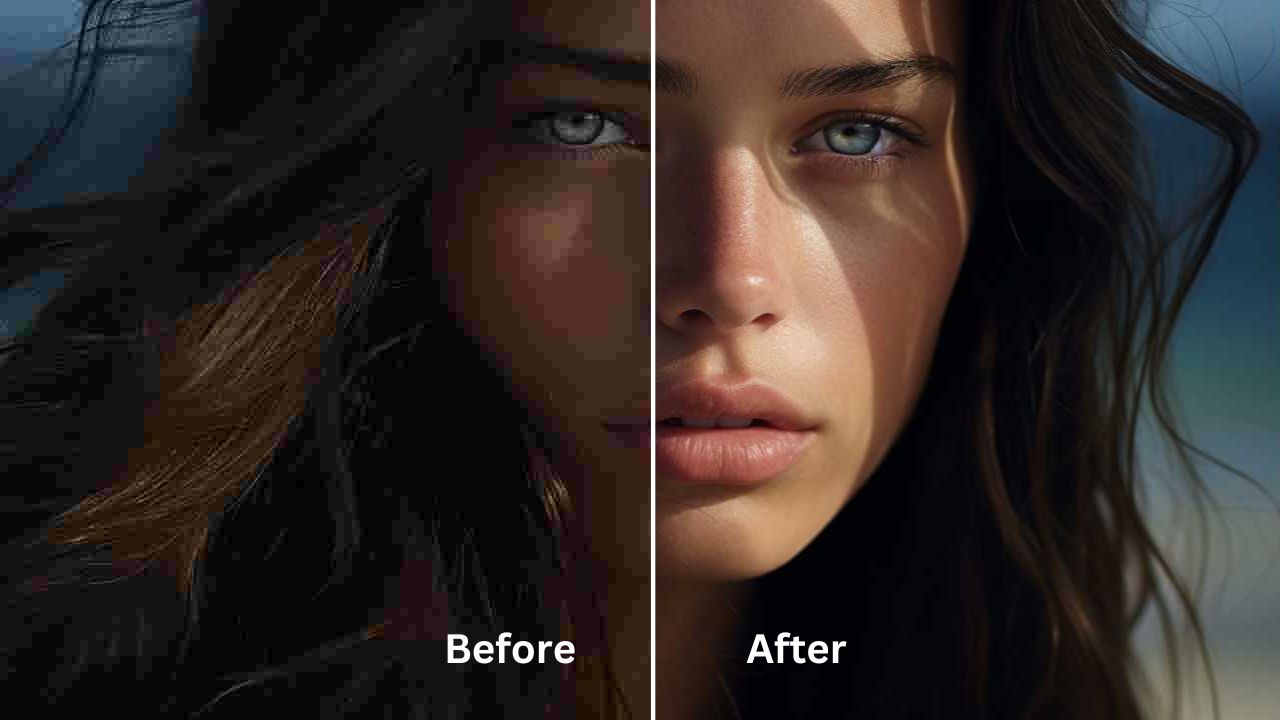
Upscaling turns low-resolution raster images into higher-resolution versions, adding sharpness and detail for better visual quality.
Pros of Upscaling
- Preservation of Original Aesthetic: Unlike vectorization, upscaling keeps the original style and details of the artwork, so the look stays true to the original.
- Pattern and Gradient Integrity: Upscaled images keep seamless patterns and smooth gradients, which helps maintain consistent design and detail.
- Suitability for Detailed Artwork: Upscaling is great for intricate designs and photography, making it a strong choice for detailed artwork.
TIP: Upscale your image by a factor of 4 for digital use or printing. If you need more editing, upscale the image first, then use vector conversion.
 Online Upscaler:
Img2Go
Online Upscaler:
Img2Go
Cons of Upscaling
- "Ghosting" Effect: Upscaled images may show ghosting around edges, creating a foggy or blurry look, especially in some areas.
- Increased Graininess: Upscaling can add grain to images, especially in high-contrast areas or fine details.
- Limited Editing Capabilities: Upscaled images do not have the flexibility of vectors, so editing options are limited and depend on raster-based tools.
- Larger File Sizes: Upscaling can create very large files. These large files can slow down design tools and may not be accepted by some marketplaces due to file size limits.
Vectorization vs. Upscaling
In summary, both vectorization and upscaling can effectively improve the quality of low-resolution AI art. Each method has its pros and cons, so do not worry too much about choosing. Try both and see which one fits your workflow and style better.
If you often work with vectors and like a more digital look, a vectorizer may be the better option. If you mostly work with photos and use photo editors like Photoshop, an upscaler may be more suitable.
In the end, the choice depends on your needs and the type of artwork you create. Use the tool that best improves the quality of your AI art.
FAQs (Frequently Asked Questions)
Can I Combine Vectorization and Upscaling for Optimal Results?
While possible, combining both techniques often does not add much benefit and can make your workflow more complex. It is usually better to pick the method that fits your needs best.
How Do I Address Graininess in Upscaled Images?
To reduce graininess in upscaled images, try different upscaling algorithms and settings. You can also use post-processing methods such as noise reduction to improve the final result.
Can I Print Vectorized Artwork on Various Merchandise Products?
Yes, you can easily adapt vectorized artwork to different products by exporting it to formats such as SVG, EPS, PDF, or PNG, which support a wide range of printing options.
What Resolution Should I Aim for When Upscaling AI-generated Images?
The optimal resolution for upscaling AI-generated images depends on how you will use them and the printing requirements. Aim for a resolution that keeps the image sharp while matching the needed output size. For printing on t-shirts or other merchandise, higher resolutions, ideally around 5,000 to 6,000 pixels, work better.

